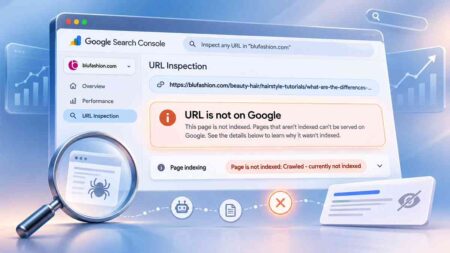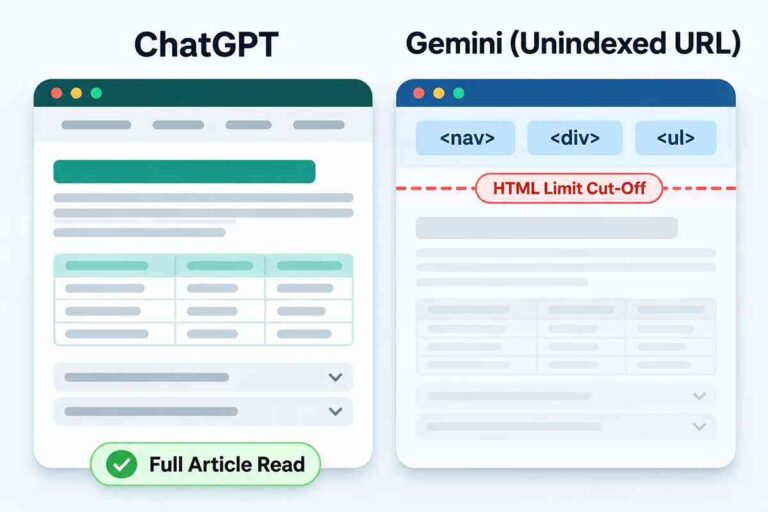
A follow-up investigation into why two AI tools read the same live page so differently, and what my WordPress theme, a hidden mobile menu, and Google’s index had to do with it.
A few weeks ago, I wrote about two BluFashion articles Google wouldn’t index, even after I’d checked everything I could think of.
This is the sequel. It started with a smaller, stranger problem.
I asked Gemini to read one of my own articles. It couldn’t get past the menu.
I gave the same live URL to ChatGPT. It read the whole thing.
My first instinct was to blame my WordPress theme. That turned out to be partly right and mostly wrong. The answer led straight back to the problem I’d been chasing all along: whether Google had the page in its index.
The short answer: when a page is in Google’s index, Gemini appears to read a clean, pre-processed copy of it. When the page isn’t indexed, Gemini falls back to fetching the raw HTML live, and on my site that reading budget runs out right where the article begins.
That explanation fits every test I ran, and it matches Google’s own description of how Gemini’s URL tool works. But it rests on three BluFashion pages and two outside sites, so I’ll be clear about where the evidence stops.
The Page That Started It
I was auditing an older post, my guide to testing whether a nose piercing will suit you, and asked Gemini to read the live URL.
It never reached the article. Its output stopped inside the site’s top navigation HTML.
So I gave the exact same URL to ChatGPT.
ChatGPT opened it cleanly. It confirmed the title (How to Know if Nose Piercing Will Suit You: My No-Needle Taste-Test Guide), the author (Iskra Banović), the publish and update dates (July 17, 2025, and September 13, 2025), all eight main sections, the comparison tables, the FAQs, and the internal links.
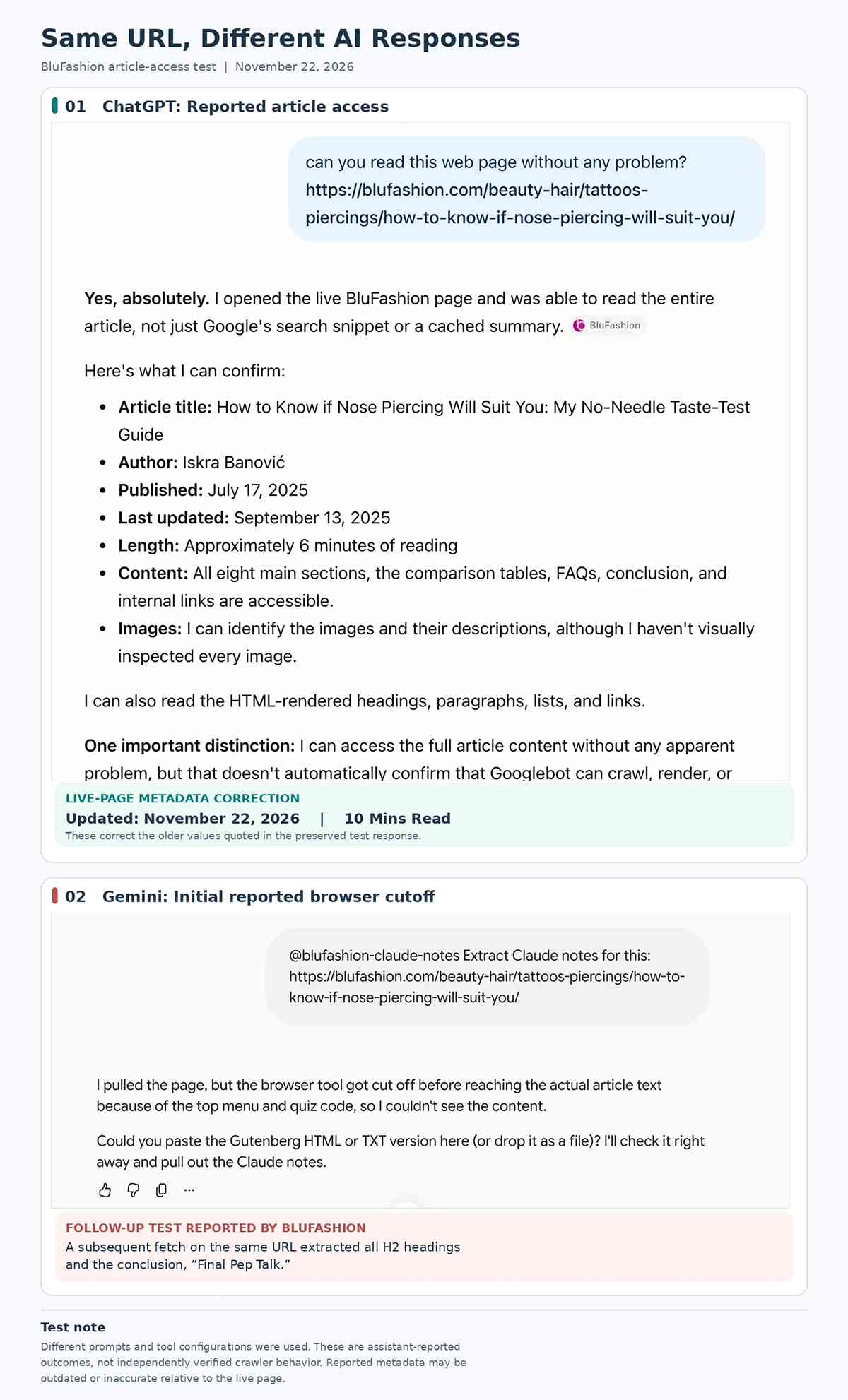
The page wasn’t broken for everyone. It was broken for one reader.
A Pattern I’d Already Seen in My AI Metrics
That one result echoed something I’d been noticing in Ahrefs for a while.
| Ahrefs metric | BluFashion |
|---|---|
| Health Score | 93 |
| AI Discoverability Score | 100 |
| Domain Rating (DR) | 33 |
| AI prompts | 2K (+816), across 348 pages |
| ChatGPT citations | 516 (+350) |
| Google AI Overviews | 6 (+5) |
| Google AI Mode | 0 |
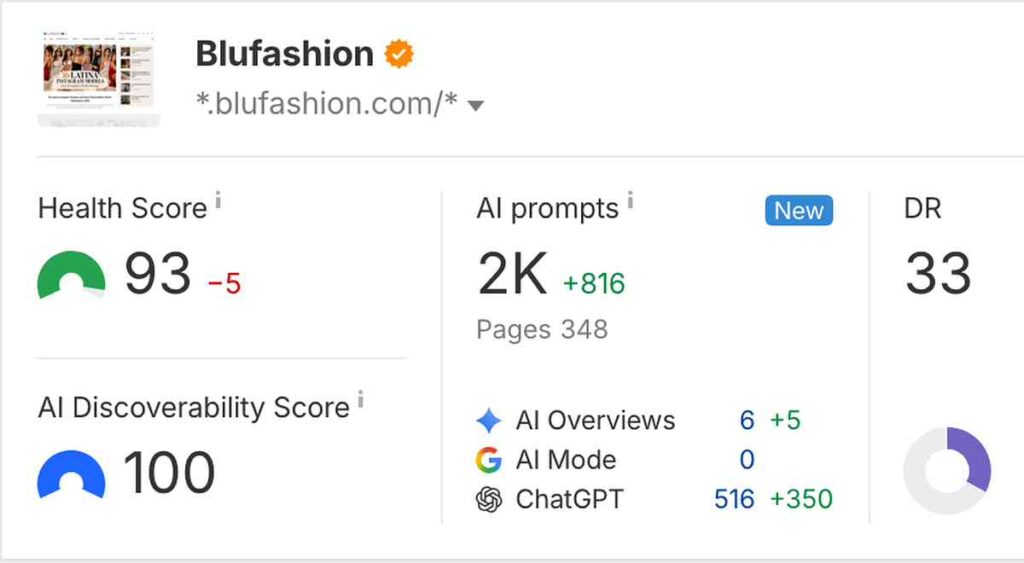
ChatGPT cites BluFashion hundreds of times. Google’s AI features barely register the site at all.
These are third-party estimates, not data from Google or OpenAI, so I don’t treat them as an exact count. But the gap was too wide to shrug off.
Naturally, my first worry was: is something in my SmartMag WordPress theme blocking Google and Gemini from reading my pages?
Suspect One: SmartMag’s Hidden Mobile Menu
I looked at what Gemini’s fetcher was actually working with.
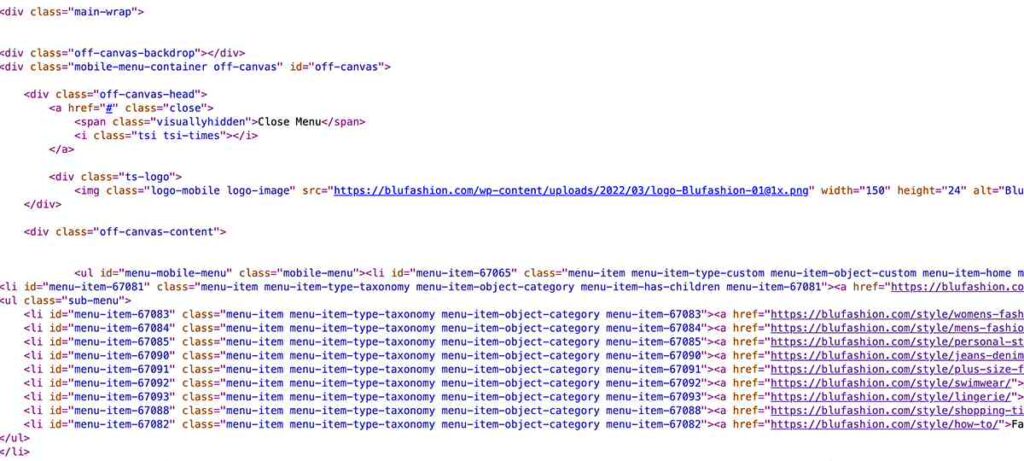
It was reading raw HTML from line one. No CSS rendering and no conversion to plain text: every tag, attribute, and image URL came along with the words.
That matters because of how SmartMag builds a page. It outputs the hidden off-canvas mobile menu right at the top of the body, before the main article. That menu included nested category links and a five-post “Latest Articles” widget, complete with full responsive image URLs for every post. After that came the full desktop menu, repeating the same categories.
On a phone, that mobile menu is invisible until you tap the menu icon. To a fetcher reading raw HTML from the top down, it’s the first thing on the page.
What I Cleaned Up
Working with ChatGPT, I audited the theme for anything that added weight without helping readers. The rule was simple: cut genuine bloat, but don’t break navigation.
- Removed the “Latest Articles” widget from the mobile off-canvas menu.
- Removed the unused Post Views script.
- Uninstalled the “Was This Helpful?” plugin.
- Disabled SmartMag’s automatic next-post loading.
- Removed the sticky sidebar JavaScript.
- Disabled unnecessary Fluent Forms Elementor assets through Perfmatters, then cleared the caches.
Here’s what changed on the nose piercing guide.
| Measurement | Before cleanup | After cleanup | Change |
|---|---|---|---|
| HTML size | 115,834 bytes | 111,763 bytes | About 3.5% smaller |
| H1 position in the HTML | 45,442 bytes | 44,425 bytes | 1,017 bytes earlier |
| Script tags | 26 | 17 | 9 fewer |
| DOM start tags | 880 | 864 | 16 fewer |
Honest gains, not dramatic ones. Nine fewer scripts is a real improvement for readers. But the H1 still sat more than 44,000 bytes into the HTML.
The Retest: Further, but Still Cut Off
After the cleanup, I asked Gemini to read the guide again.
It got noticeably further. It cleared both the mobile and desktop menus and reached the breadcrumbs, the H1, the author, the dates, the featured image, and the first two paragraphs of the article.
Then it stopped again, mid-sentence: “…once you pick the right jewelry and”
That told me two things.
The cleanup did something real. Gemini got further into the page.
But the menu wasn’t the whole explanation. If trimming page weight only bought two paragraphs, getting the full article through would mean stripping the navigation down to almost nothing. And I had no evidence that would fix anything beyond this one tool.
Two Control Tests That Broke My Assumptions
Before touching the theme again, I wanted to know whether heavy navigation actually caused this.
Assumption One: My Menu Is Still Too Heavy
For the first control test, I picked a page with far more navigation than BluFashion: Search Engine Land’s guide to the most popular websites. It sits under a massive mega-menu with many more top-level links than my site has.
Gemini read the entire page from top to bottom, all 100 ranked websites and the author bio.
The reason was visible in the output. Gemini hadn’t received raw HTML at all. It received a pre-cleaned, plain-text snippet, marked [SNIPPET]. The mega-menu was still in there, but only as plain text. The HTML markup around it had been stripped out, so the menu took up a fraction of the room and the article came through intact.
Assumption Two: Only Big Sites Get the Clean Version
Fine, I thought. Search Engine Land is a major publisher. Maybe Google only keeps clean copies of big, authoritative sites.
So for the second control test, I chose a small New Zealand Shopify store, Cherry Body Jewellery, and its guide to finding a nose pin. It has a huge e-commerce mega-menu.
Gemini again received a clean-text extraction and read the entire article, all the way down to the footer.
So neither heavy navigation nor site size decided the outcome. Something else determined whether Gemini got clean text or raw HTML.
The Breakthrough: Same Theme, Two Different Results
Next, I tested another BluFashion page built on the exact same SmartMag theme: the Foundation Shade Estimator guide.
Gemini read the entire 10-minute guide cleanly, top to bottom, down to the footer.
Here’s the detail that made it interesting. The cached text Gemini received still contained the old, pre-cleanup “Latest Articles” menu. The page that worked had the heavier menu. The page that failed had the lighter one.
Once I lined the two pages up, there was one real difference left. To make sure the nose piercing guide wasn’t a one-off, I added a third page to the comparison (more on that below).
| Foundation Shade Estimator | Nose Piercing Guide | Partial vs. Full Highlights | |
|---|---|---|---|
| Theme | SmartMag | SmartMag | SmartMag |
| Menu in what Gemini read | Old, heavier version | Cleaned-up version | Cleaned-up version |
| Indexed by Google when tested | Yes | No | No |
| What Gemini received | Clean text | Raw HTML | Raw HTML |
| Result | Read to the footer | Cut off after two paragraphs | Cut off after three short paragraphs |
A Second Unindexed Page, Same Result
For the third page, I went back to the article that started my first investigation: my guide to partial vs. full highlights. On November 22, URL Inspection still listed it as “URL is not on Google: Crawled, currently not indexed,” with the last crawl by Googlebot Smartphone still dated July 3, 2026. That’s the same date I reported in the first article, despite the revision I published on November 18.
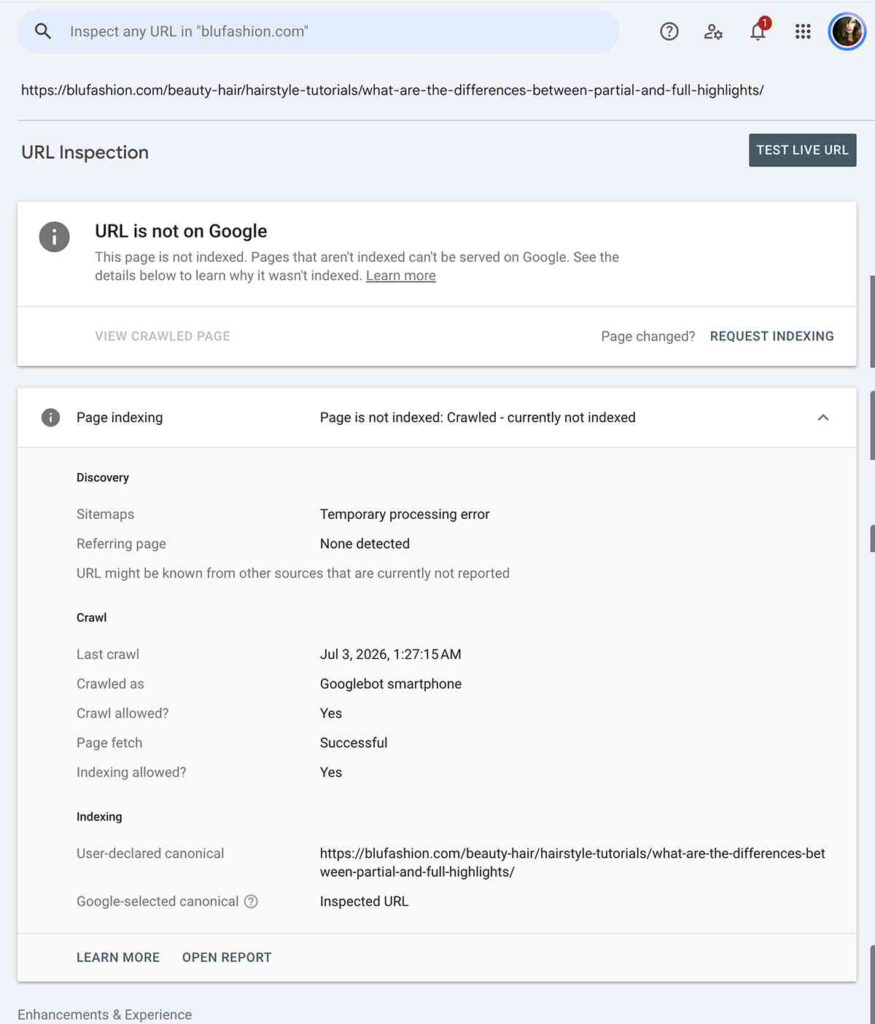
I asked Gemini to read it live. It pulled raw HTML showing the November 18, 2026, update and the 18-minute read time, so it fetched the current page rather than a stored copy. It got past both menus and the first three short paragraphs, then stopped mid-sentence at “But…”
Same theme, same cleaned-up menu, same raw HTML, same cutoff right as the article gets going. An 18-minute guide, and Gemini saw three short paragraphs of it. Two unindexed pages failed the same way. The one indexed page I tested didn’t.
That lines up with how Google describes the URL context tool in its Gemini API documentation. The tool first tries to pull the page from an internal index cache. If the URL isn’t there, it falls back to fetching the page live.
Google’s documentation also notes that the cached version may not be up to date. That would explain why Gemini saw my old menu on the Foundation Shade Estimator page.
Put together, the mechanism looks like this. When a page is in Google’s index, Gemini reads a pre-processed, plain-text copy. The menu text is still there, but without the markup it barely dents the budget. When a page isn’t indexed, Gemini does a cold live fetch of the raw HTML, markup and all, under a strict character cap. On my pages, that budget runs out right as the article starts.
One caveat. Google’s documentation covers the developer API, not the Gemini chat app I was using. I’m inferring that the app works the same way. Every result I got is consistent with that, but I can’t see inside it.
Why ChatGPT Didn’t Have This Problem
I don’t know exactly how ChatGPT’s browsing tool processes a page. It may have a larger reading budget, or it may strip navigation before reading. I didn’t test which.
What I can say is narrower: ChatGPT read the nose piercing guide in full while it was still unindexed. Whatever it does, it didn’t depend on Google having that page in its index.
That fits the Ahrefs pattern, though it doesn’t prove it. If Google’s AI tools lean on Google’s index, a site with many unindexed articles will look thin to them. A tool that reads pages live won’t run into that wall.
What We Proved, and What We Didn’t
| Question | What our tests showed |
|---|---|
| Did Gemini cut off the unindexed nose piercing guide? | Yes, before and after the cleanup |
| Did the theme cleanup reduce page weight? | Yes, about 3.5% smaller HTML and 9 fewer scripts |
| Did the cleanup let Gemini read the full article? | No, it got two paragraphs further |
| Do heavy mega-menus stop Gemini on their own? | No, two sites with bigger menus were read in full |
| Do only large sites get the clean-text version? | No, a small Shopify store got it too |
| Did an indexed BluFashion page with the old, heavier menu work? | Yes, read to the footer |
| Did a second unindexed BluFashion page get cut off the same way? | Yes, the partial vs. full highlights guide, after three short paragraphs |
| Does Google index status explain the difference? | It’s the one difference that fits every result, and it matches Google’s API documentation. Tested on three BluFashion pages. |
| Did Gemini read the nose piercing guide in full once Google indexed it? | Not yet. A retest minutes after indexing still got raw, live HTML and stopped at the first H2. Retest pending. |
| Was the theme the reason the nose piercing guide wasn’t indexed? | No evidence for that |
| Do we know why Google hadn’t indexed the nose piercing guide? | No |
What I’m Doing Differently Now
First, I’m separating two problems that look alike from the outside. A chat tool running out of its raw-HTML reading budget on an unindexed page is one thing. An actual Googlebot crawling problem is another. Google says Googlebot fetches up to 2 MB of HTML per URL. My nose piercing guide is about 112 KB. Gemini’s live-fetch cap tells me nothing about whether Googlebot can read the page.
Second, I’m not gutting my mobile or desktop navigation, or cutting internal links, to satisfy a live-fetch character limit on an unindexed URL. Readers use that navigation. Google already reads the indexed version of my pages with the menus in place.
Third, I’m keeping the cleanup. Dropping 9 scripts and a couple of unused plugins was worth doing for real readers and real page weight. It just was never the reason the page wasn’t indexed.
Fourth, I’m checking index status before I blame the theme. If Gemini cuts off a page inside the menu, the first stop is Search Console’s URL Inspection tool, not the theme settings.
And I’m counting a cost of “Crawled, currently not indexed” that I hadn’t considered before. It doesn’t only mean missing out on classic blue-link traffic. It also means Google’s AI tools lose access to the clean, indexed version of your content, while ChatGPT may still read and cite the page live.
So Why Couldn’t Gemini Read My Article?
Because, as far as I can tell, Google didn’t have a clean copy to give it.
My theme made the raw HTML heavier than it needed to be, and fixing that was worthwhile. But the same theme, with an even heavier menu, worked fine on a page Google had indexed.
Which brings me back to the question from my first indexing investigation. I still can’t prove why Google leaves some of my articles out of its index. This test didn’t answer that. It showed me that the cost of being left out now extends to Google’s own AI tools.
The Same Page, Now Indexed
Every test above ran while the nose piercing guide was out of Google’s index. That changed on November 22, 2026. Minutes after I republished a revised version and requested indexing, URL Inspection showed a fresh crawl by Googlebot Smartphone at 7:14 PM and the status “URL is on Google.” Page indexing: “Page is indexed.”
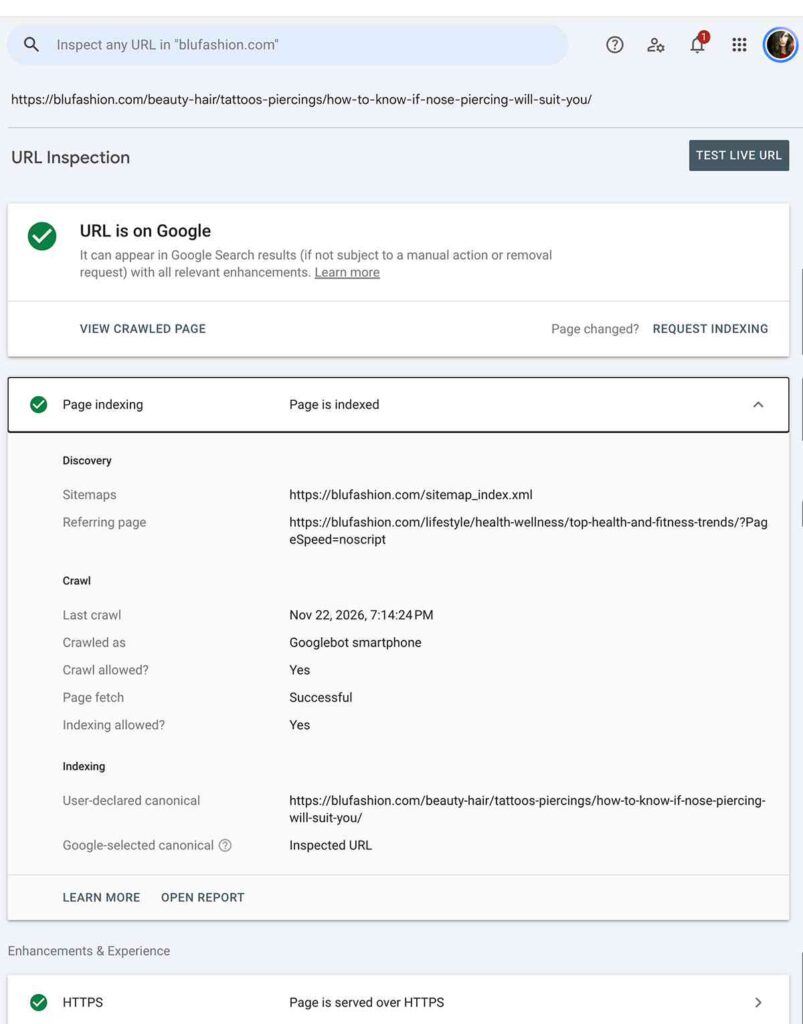
I can’t say whether the revision or the indexing request made the difference. But it sets up the cleanest test in this whole investigation: the same URL, the same theme, the same menu, with only the index status changed.
I asked Gemini to read it again right after the status changed. It still did a live fetch of the raw HTML. It showed that day’s revision (the November 22 update date and the 10-minute read time), which no older stored copy would have had, and it stopped right at the first H2.
That’s what I’d expect if the explanation holds. Google notes that the index cache behind Gemini’s URL tool may not be up to date, and a page indexed minutes earlier almost certainly hasn’t reached it yet. But a same-day retest can’t confirm anything on its own. There’s also a possibility I can’t rule out: that the cache Gemini uses isn’t the same thing as Google Search’s index, and the two only tend to overlap.
So I’ll keep retesting over the coming days. If Gemini switches to a clean-text copy and reads the guide to the footer, that’s the strongest evidence I could ask for. If it keeps doing live fetches long after indexing, the explanation needs revising. I’ll add the result here either way.
If an AI tool can’t read your page, don’t start by rebuilding your theme. Check whether Google has indexed the page. Run a control test on a page you know is indexed. And keep the fixes that help your readers, even when they don’t solve the problem you were chasing.