




Close Menu
Blufashion.com
  • Home
  • Fashion & Style
    • Women’s Fashion
    • Men’s Fashion
    • Personal Style
    • Jeans & Denim
    • Plus-Size Fashion
    • Swimwear and Bikinis
    • Lingerie
    • Celebrity Style
    • Shopping & Budget Style
    • Fashion How-To Guides
  • Beauty
    • Skincare
    • Makeup & Tutorials
    • Women’s Hairstyles
    • Men’s Haircuts & Hairstyles
    • Hair Tutorials
    • Nails
    • Natural Beauty
    • Beauty Products & Reviews
    • Tattoos & Piercings
  • Jewelry & Accessories
    • Jewelry
    • Bags & Handbags
    • Shoes
    • Watches
    • Eyeglasses & Sunglasses
  • Relationships
  • Lifestyle
    • Health & Wellness
    • Homes & Interiors
    • Travel
    • Food & Drink
    • Career
    • Personal Finance
    • Parenting & Family
    • Culture & Entertainment
    • Technology
    • Special Occasions
  • Fit Tools
  • CONTACT
  • ABOUT
Latest Articles
Why Dark Spots Keep Coming Back and How to Prevent Them

Why Dark Spots Keep Coming Back (and How to Prevent Them)

October 23rd, 2026
How to Make the Most of Seven Hours at Sea

Seven Hours at Sea Go Faster Than Any Itinerary On Paper

October 19th, 2026
Ermanno Scervino: Inside the Beverly Hills and Bal Harbour Boutiques

From Florence to America: Inside Ermanno Scervino’s Beverly Hills and Bal Harbour Boutiques

October 4th, 2026
Birthday Flower Delivery: How to Choose the Right Bouquet

Birthday Flower Delivery: How to Choose a Bouquet That Arrives on Time

September 25th, 2026
What to Know Before Installing a Mini-Split in a Bedroom

What to Know Before Installing a Mini-Split in a Bedroom

September 22nd, 2026
Facebook X (Twitter) Instagram Pinterest YouTube
Blufashion.com
  • Contact Us
  • About Blufashion
Facebook X (Twitter) Instagram Pinterest
  • Home
  • Fashion & Style
    • Women’s Fashion
    • Men’s Fashion
    • Personal Style
    • Jeans & Denim
    • Plus-Size Fashion
    • Swimwear & Bikinis
    • Lingerie
    • Celebrity Style
    • Shopping & Budget Style
    • Fashion How-To Guides
  • Beauty
    • Skin Care
    • Makeup & Tutorials
    • Women’s Hairstyles
    • Men’s Haircuts & Hairstyles
    • Hair Tutorials
    • Nails
    • Natural Beauty
    • Beauty Products & Reviews
    • Tattoos & Piercings
  • Jewelry & Accessories
    • Jewelry
    • Bags & Handbags
    • Shoes
    • Watches
    • Eyeglasses & Sunglasses
    • Fashion Accessories
  • Relationships
  • Lifestyle
    • Health & Wellness
    • Homes & Interiors
    • Travel
    • Food & Drink
    • Career
    • Personal Finance
    • Culture & Entertainment
    • Technology
    • Special Occasions
  • Fit Tools
Blufashion.com
Home - Technology - insMind AI Image Expander – Turn Ordinary Images into Exceptional Ones for Free
Technology

insMind AI Image Expander – Turn Ordinary Images into Exceptional Ones for Free

By Iskra BanovićJuly 4th, 20245 Mins Read
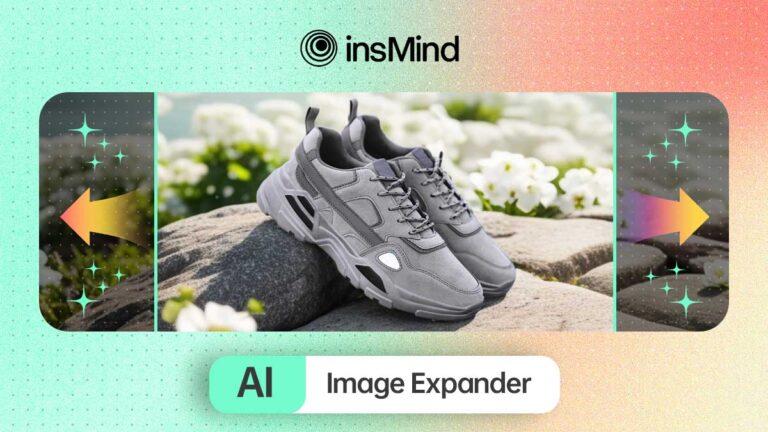
insMind AI Image Expander

High-quality images are essential for everything, whether we go for marketing or entertainment. However, many people struggle with images that are too small, which limits their creative options and impact. In this regard, AI image expanders are designed to solve this problem, where they can enlarge images while maintaining their quality and adding missing details. Read this guide to the end to learn all about the best photo expander and what you can do with it.

Part 1. The Best AI Tool to Expand Photo Free Online – insMind

The art of expanding images and generating details in them is not trivial; it requires powerful AI abilities with smart algorithms. You can find all these required capabilities in an all-in-one AI photo expander, insMind, which offers magical features for image editing.

It provides users with several pre-built aspect ratios to adjust the size of their pictures according to famous social media platforms. You can also tap on the “Reset” button to nullify all the selections or changes you made to your photo. The tool then further facilitates editing the expanded photo and making it more optimized as you desire.

Part 2. How to Expand Image with insMind’s Exceptional AI Image Expander

As straightforward as the AI tool looks with its user-friendly interface, its procedure is even simpler. Within a few clicks, you can utilize its AI expand image feature, giving you further customizable options. Here’s how you can lead with this function by following the provided steps:

Step 1. Upload the Image to Expand via insMind

Start by going to the official website of insMind and accessing the “AI Image Expander” feature from the “Free Tools” drop-down menu. Here, click on the “Upload a photo” button to add the relevant photo to this AI image expander.

Upload the Image to Expand via insMind

Step 2. Select the Desired Aspect Ratio and Apply Changes

Now, you will be directed to this tool’s editing interface, where you can choose between various pre-adjusted picture sizes. Select any of them as per your requirement and hit “Start” to initiate the expansion process. Once done, click the “Apply” button to proceed to further editing tools.

Select the Desired Aspect Ratio and Apply Changes

Step 3. Finalize Editing and Download the Expanded Photo

Here, you can perform further edits, like adding effects or shadows to your picture. When you finish editing, tap “Download” from the top-right corner and select preferred format and quality settings. Finally, hit the “Download” button to save the enlarged photo to your device.

Finalize Editing and Download the Expanded Photo

Part 3. Benefits of Using AI Image Expander Than Traditional Methods

Now, you are fully aware of how to use this AI picture expander to adjust the size ratios of your images. Following this, let’s consider learning about the general benefits you can get by using such AI-powered tools for picture expansion.

  • Preservation of Image Quality: These AI tools use sophisticated algorithms to maintain the image’s original quality, even when it is enlarged. Thus, you can expand your photos to fit any dimensions without worrying about losing pixels.
  • Time Efficiency: Manually enlarging images and retouching them to retain quality can be time-consuming. Conveniently, AI tools automate this photo expanding process, saving significant time and effort for content creators.
  • Cost-Effectiveness: It can take a lot of money to hire professional designers to enlarge and expand images. In this regard, AI image expanders provide a cost-effective alternative by delivering high-quality results at a fraction of the cost.
  • Improved Accessibility and Versatility: Enlarged images can improve accessibility for visually impaired users by providing clearer and more detailed visuals. Besides, the AI tools can handle a wide range of image formats, making them versatile for various industries.

Part 4. What Else You Can Do with insMind AI Expander

Throughout the article, we have kept the focus of discussion on the image-expanding functionality of insMind. However, you can do much more with it to experience photo editing abilities at the professional level. This part will enlighten you about the valuable features of this AI picture expander you must try.

  • Magic Eraser: One of the most mind-blowing features of insMind is Magic Eraser, which lets users remove unwanted objects instantly. You can also use this functionality to eliminate watermarks or logos from pictures for personal or professional purposes.
  • AI Filter: Amazingly, this online tool offers various AI filters that can transform your photos into stunning and creative AI-generated textures. For instance, it allows you to turn yourself into an animated or game character with its intelligent AI processing abilities.
  • AI Image Enhancer: Users can utilize this toolkit to effortlessly enhance the quality of their images with clearer and sharper results. In particular, this feature helps restore old and blurred photos by incorporating detailed visuals and textures.
  • AI Background: insMind facilitates you in changing the background of photos in the most convenient way with its powerful and realistic AI abilities. It generates several AI backgrounds suitable for the scenario of your images by giving you the option to choose between different categories.
  • AI Shadows: This feature is essentially helpful for product photos to give them a realistic and studio-quality look. You can even customize various elements of AI generated shadows like opacity or orientation, to fit with your needs.

Conclusion

In conclusion, there’s a pressing need for AI-powered tools to automate the image enlargement process. Considering this, we have introduced you to the best AI photo expander, insMind, that you can try to enlarge your photos for free.

Moreover, you have been familiarized with the various benefits you can expect from these kinds of AI-powered tools. Those wanting to experience these useful benefits and features can try insMind for free right away.


Was this helpful?
YesNo
Share. Facebook Twitter Pinterest Threads LinkedIn Tumblr Email
Previous ArticleMastering The Application Of Eau De Parfum: Do’s & Dont’s For Men
Next Article Personal Paradise Transform Your Outgrown Yard into a Dreamy Oasis
Iskra Banović
  • Website
  • Facebook
  • X (Twitter)
  • Pinterest
  • Instagram
  • LinkedIn

I'm Iskra Banović, editor of BluFashion and a fashion and beauty writer with over 11 years of experience covering style, trends, and everyday beauty. From runway inspiration to practical styling advice, I love making fashion feel approachable, useful, and a little more fun. I believe great style isn't about following every trend. It's about finding what works for you.

Read more about me.

Related Posts

Top iPhone Cases: A New Era of Style and Protection

Top iPhone 17 Cases for 2026: A New Era of Style and Protection

April 29th, 2026
Training Your Team to Use Two-Way Radios Effectively

Training Your Team to Use Two-Way Radios Effectively in High-Pressure Situations

December 9th, 2025
AI Model Marketplaces for Fashion Brands

Top AI Model Marketplaces for Fashion Brands

November 6th, 2025
The Blubashion Edit
Top iPhone Cases: A New Era of Style and Protection

Top iPhone 17 Cases for 2026: A New Era of Style and Protection

By Iskra BanovićApril 29th, 2026

As smartphone design continues to evolve, so does the world of phone accessories. In 2026,…

Training Your Team to Use Two-Way Radios Effectively

Training Your Team to Use Two-Way Radios Effectively in High-Pressure Situations

By Iskra BanovićDecember 9th, 2025

Clear communication is crucial to avoid costly mistakes that occur in emergency response, construction sites,…

AI Model Marketplaces for Fashion Brands

Top AI Model Marketplaces for Fashion Brands

By Iskra BanovićNovember 6th, 2025

The fashion industry stands at a digital crossroads where AI-generated models are revolutionizing visual content…

WearView Review, AI Fashion Model Generator Tested

WearView Review 2025, AI Fashion Model Generator Tested

By Iskra BanovićOctober 30th, 2025

I generated 120 images across 17 garments. Quality was publishable 8 out of 10 times,…

What are the best virtual fitting room apps and online sizing tools?

Best Virtual Fitting Room Apps and Online Sizing Tools, My 2025 Test

By Hermit ChawlaOctober 19th, 2025

Best Virtual Fitting Room Apps & Online Sizing Tools: 2025 Review Show Table of Contents☰…

Whether you're looking to keep on top of the latest trends, give yourself a makeover, or just want a little fashion inspiration, Blufashion.com's Style & Beauty experts are here to help. Join us now and get regular updates from professional makeup artists, hairstylists and fashion fanatics who want to help you look your best.

Facebook X (Twitter) Instagram Pinterest YouTube LinkedIn Reddit BlogLovin
ABOUT
  • About us
  • Contact Us
  • Content Team
  • Our Contributors
  • Returns Policy
  • Refund Policy
Categories
  • Lifestyle
  • Fashion & Style
  • Special Occasions
  • Dating & Relationships
  • Tattoos & Piercings
  • Beauty, Skincare & Hairstyles
Facebook X (Twitter) Instagram Pinterest
  • Disclaimer
  • TOS
  • Privacy Policy
  • Cookie Policy
  • Ethics Policy
© 2026 Blufashion - Best Beauty Blog.

Type above and press Enter to search. Press Esc to cancel.