




Close Menu
Blufashion.com
  • Home
  • Fashion & Style
    • Women’s Fashion
    • Men’s Fashion
    • Personal Style
    • Jeans & Denim
    • Plus-Size Fashion
    • Swimwear and Bikinis
    • Lingerie
    • Celebrity Style
    • Shopping & Budget Style
    • Fashion How-To Guides
  • Beauty
    • Skincare
    • Makeup & Tutorials
    • Women’s Hairstyles
    • Men’s Haircuts & Hairstyles
    • Hair Tutorials
    • Nails
    • Natural Beauty
    • Beauty Products & Reviews
    • Tattoos & Piercings
  • Jewelry & Accessories
    • Jewelry
    • Bags & Handbags
    • Shoes
    • Watches
    • Eyeglasses & Sunglasses
  • Relationships
  • Lifestyle
    • Health & Wellness
    • Homes & Interiors
    • Travel
    • Food & Drink
    • Career
    • Personal Finance
    • Parenting & Family
    • Culture & Entertainment
    • Technology
    • Special Occasions
  • Fit Tools
  • CONTACT
  • ABOUT
Latest Articles
Illustration of Google Search Console showing a BluFashion article marked Crawled, currently not indexed.

Why Google Won’t Index Some of My Articles, Even After I Fix Everything

November 1st, 2026
Avoid Chemical Filters in Mineral Sunscree

Should You Avoid Chemical Filters in Mineral Sunscreen?

October 31st, 2026
Editorial collage illustrating six petite Latina fashion influencers and their different personal styles

6 Petite Latina Fashion Influencers for Real Outfit Inspiration

October 29th, 2026
How to Make the Most of Seven Hours at Sea

Seven Hours at Sea Go Faster Than Any Itinerary On Paper

October 19th, 2026
Ermanno Scervino: Inside the Beverly Hills and Bal Harbour Boutiques

From Florence to America: Inside Ermanno Scervino’s Beverly Hills and Bal Harbour Boutiques

October 4th, 2026
Facebook X (Twitter) Instagram Pinterest YouTube
Blufashion.com
  • Contact Us
  • About Blufashion
Facebook X (Twitter) Instagram Pinterest
  • Home
  • Fashion & Style
    • Women’s Fashion
    • Men’s Fashion
    • Personal Style
    • Jeans & Denim
    • Plus-Size Fashion
    • Swimwear & Bikinis
    • Lingerie
    • Celebrity Style
    • Shopping & Budget Style
    • Fashion How-To Guides
  • Beauty
    • Skin Care
    • Makeup & Tutorials
    • Women’s Hairstyles
    • Men’s Haircuts & Hairstyles
    • Hair Tutorials
    • Nails
    • Natural Beauty
    • Beauty Products & Reviews
    • Tattoos & Piercings
  • Jewelry & Accessories
    • Jewelry
    • Bags & Handbags
    • Shoes
    • Watches
    • Eyeglasses & Sunglasses
    • Fashion Accessories
  • Relationships
  • Lifestyle
    • Health & Wellness
    • Homes & Interiors
    • Travel
    • Food & Drink
    • Career
    • Personal Finance
    • Culture & Entertainment
    • Technology
    • Special Occasions
  • Fit Tools
Blufashion.com
Home - Technology - Making HD Document Scans with AI Image Upscaler
Technology

Making HD Document Scans with AI Image Upscaler

By Iskra BanovićJanuary 16th, 20245 Mins Read
Making HD Document Scans with AI Image Upscaler

In today’s digital world, the importance of high-quality document scans cannot be overstated. Whether you’re archiving important paperwork, sharing crucial information, or simply keeping a record, having clear and crisp scans can make a significant difference. However, achieving such clarity can be a challenge, especially when dealing with older or lower-resolution documents. This is where VanceAI Image Upscaler steps in as a game-changer, allowing you to transform regular document scans into high-definition masterpieces that capture every detail.

What are Document Scans?

Document scans refer to the process of converting physical documents into digital format. It involves using a scanner or a smartphone camera to capture an image of the document, which can then be saved, shared, or edited electronically. Document scans offer various benefits, including easier storage, convenient sharing, and reduced paper clutter.

The Challenge of Document Clarity

While document scans have simplified many aspects of information management, they often come with challenges related to image quality. Factors such as low light conditions, scanner limitations, or the original document’s condition can lead to scans that lack the clarity needed for accurate reading and analysis. This is particularly problematic when dealing with important documents, contracts, or detailed charts.

The Solution: Use AI Image Upscaler

AI Image Upscaler revolutionizes the way we enhance document scans. With its advanced AI-powered algorithms, this tool can enlarge scanned images by up to 800% without compromising quality. This means that even the smallest details in your documents can be magnified to an impressive degree, ensuring that your scans are not just readable, but truly remarkable.

VanceAI Image Upscaler helps to make Document Scans HD

Harnessing the capabilities of VanceAI Image Upscaler, you can elevate your document scans to a whole new level of clarity and detail. This tool offers a range of benefits that contribute to producing HD document scans that stand out:

High-Quality Enlargement

VanceAI Image Upscaler employs cutting-edge AI technology to enlarge images while preserving their quality. This means that your document scans can be upscaled to larger sizes without the blurriness or pixelation commonly associated with traditional enlargement methods.

Enhanced Readability

With VanceAI Image Upscaler, every word and element in your document becomes more legible. Even the tiniest font sizes, intricate signatures, and delicate lines are enhanced, ensuring that your scans retain their clarity and readability at any size.

Precise Detail Preservation

Preserving the details of your document scans is crucial, especially when dealing with intricate charts, diagrams, or illustrations. VanceAI Image Upscaler excels at maintaining the fine lines and nuances that may be lost in standard scanning processes.

Super-Resolution Impact

VanceAI Image Upscaler offers various scaling options, from 2x to 8x, allowing you to achieve super-resolution results. This level of detail is particularly valuable when you need to closely examine charts, graphs, or architectural plans.

Simple and Convenient Process

Using AI Image Upscaler is straightforward and user-friendly. Whether you’re a tech-savvy professional or someone new to image enhancement, the tool’s intuitive interface ensures a seamless experience.

How to use VanceAI Image Upscaler

Step 1: Upload Your Scan

Simple and Convenient Process

Begin by accessing the VanceAI platform and uploading the scanned document image you wish to enhance using the Image Upscaler. Besides the function above, VanceAI provides some guides on using AI Portrait Generator, hope this may help to enhance your creativity.

Step 2: Choose Scaling Options

Making HD Document Scans with AI Image Upscaler: Choose Scaling Options

Select the desired scaling factor, ranging from 2x to 8x, depending on the level of enhancement you require.

Step 3: Enhance and Save

Making HD Document Scans with AI Image Upscaler: Enhance and Save

Let VanceAI’s AI algorithms process the image. Once the enhancement is complete, preview the improved version and download it in high resolution.

About VanceAI

VanceAI is a trailblazer in AI-powered image enhancement technology. With a range of tools designed to elevate image quality and clarity, VanceAI empowers individuals and professionals to achieve outstanding results with ease. VanceAI is a leading innovator in AI-powered image enhancement solutions. With tools like  VanceAI Image Sharpener and VanceAI Photo Restorer, the platform offers exceptional capabilities to enhance image clarity and restore old or damaged photos. VanceAI Image Sharpener sharpens images with remarkable precision, bringing out intricate details and improving overall visual appeal. On the other hand, VanceAI Photo Restorer leverages advanced AI technology to restore old photographs, effortlessly eliminating scratches, tears, spots, and more. These tools exemplify VanceAI’s commitment to providing users with the means to elevate image quality and preserve cherished memories with ease. VanceAI recently launched a guide about AI Face Generator, you can read to know more about how to use AI Art Generator.

Conclusion

Elevate your document scans to HD quality with VanceAI Image Upscaler. Say goodbye to blurry or pixelated scans and welcome clear, crisp, and readable documents that leave a lasting impression. The power to make your documents stand out is at your fingertips. Try VanceAI Image Upscaler today and experience the transformation in your document management journey. How was it? Discover the potential of AI-enhanced document scans now and redefine the way you capture and share information. More interestingly, there are also some popular Vtuber Maker which use similar technology. Try it if you like.


Was this helpful?
YesNo
Share. Facebook Twitter Pinterest Threads LinkedIn Tumblr Email
Previous ArticleRegistering A UK Company From Abroad: 7 Steps To Global Business Success 
Next Article The Top 5 Bed Pads For Adult Comfort And Hygiene
Iskra Banović
  • Website
  • Facebook
  • X (Twitter)
  • Pinterest
  • Instagram
  • LinkedIn

I'm Iskra Banović, editor of BluFashion and a fashion and beauty writer with over 11 years of experience covering style, trends, and everyday beauty. From runway inspiration to practical styling advice, I love making fashion feel approachable, useful, and a little more fun. I believe great style isn't about following every trend. It's about finding what works for you.

Read more about me.

Related Posts

Illustration of Google Search Console showing a BluFashion article marked Crawled, currently not indexed.

Why Google Won’t Index Some of My Articles, Even After I Fix Everything

November 1st, 2026
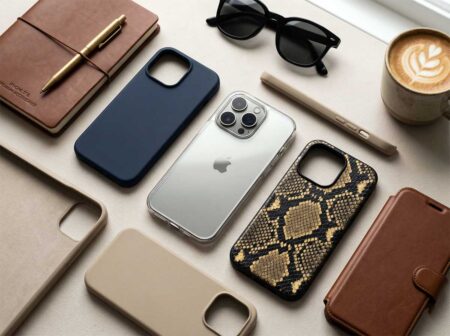
Top iPhone Cases: A New Era of Style and Protection

Top iPhone 17 Cases for 2026: A New Era of Style and Protection

April 29th, 2026
Training Your Team to Use Two-Way Radios Effectively

Training Your Team to Use Two-Way Radios Effectively in High-Pressure Situations

December 9th, 2025
The Blubashion Edit
Illustration of Google Search Console showing a BluFashion article marked Crawled, currently not indexed.

Why Google Won’t Index Some of My Articles, Even After I Fix Everything

By Iskra BanovićNovember 1st, 2026

An actual SEO investigation involving Google Search Console, Cloudflare crawler logs, WordPress, and a few…

Top iPhone Cases: A New Era of Style and Protection

Top iPhone 17 Cases for 2026: A New Era of Style and Protection

By Iskra BanovićApril 29th, 2026

As smartphone design continues to evolve, so does the world of phone accessories. In 2026,…

Training Your Team to Use Two-Way Radios Effectively

Training Your Team to Use Two-Way Radios Effectively in High-Pressure Situations

By Iskra BanovićDecember 9th, 2025

Clear communication is crucial to avoid costly mistakes that occur in emergency response, construction sites,…

AI Model Marketplaces for Fashion Brands

Top AI Model Marketplaces for Fashion Brands

By Iskra BanovićNovember 6th, 2025

The fashion industry stands at a digital crossroads where AI-generated models are revolutionizing visual content…

WearView Review, AI Fashion Model Generator Tested

WearView Review 2025, AI Fashion Model Generator Tested

By Iskra BanovićOctober 30th, 2025

I generated 120 images across 17 garments. Quality was publishable 8 out of 10 times,…

Whether you're looking to keep on top of the latest trends, give yourself a makeover, or just want a little fashion inspiration, Blufashion.com's Style & Beauty experts are here to help. Join us now and get regular updates from professional makeup artists, hairstylists and fashion fanatics who want to help you look your best.

Facebook X (Twitter) Instagram Pinterest YouTube LinkedIn Reddit BlogLovin
ABOUT
  • About us
  • Contact Us
  • Content Team
  • Our Contributors
  • Returns Policy
  • Refund Policy
Categories
  • Lifestyle
  • Fashion & Style
  • Special Occasions
  • Dating & Relationships
  • Tattoos & Piercings
  • Beauty, Skincare & Hairstyles
Facebook X (Twitter) Instagram Pinterest
  • Disclaimer
  • TOS
  • Privacy Policy
  • Cookie Policy
  • Ethics Policy
© 2026 Blufashion - Best Beauty Blog.

Type above and press Enter to search. Press Esc to cancel.